What Hardware Is Needed for a POS System?
A Point of Sale (POS) system is a core part of running a modern business. Whether you own a retail shop, restaurant, café, or small store, a POS system helps you accept payments, track sales, manage inventory, and serve customers efficiently. While POS software gets a lot of attention, the hardware behind the system is just as important. Without the right hardware, even the best software cannot perform well.
Most Needed POS Hardware for Any Business
This blog explains the essential hardware needed for a POS system and why each component matters.
1. POS Terminal: The Heart of the System
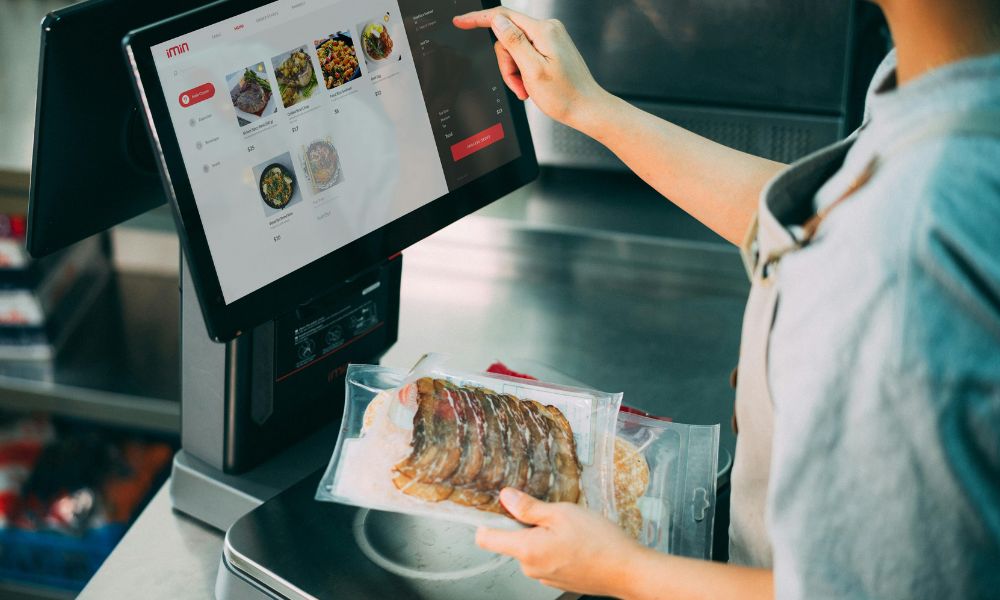
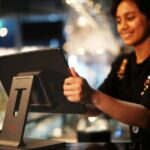
The POS terminal is the main device used to run the POS software. This is where employees enter orders, scan products, and complete transactions. A POS terminal can be a desktop computer, an all-in-one touchscreen system, or a tablet such as an iPad or Android device.
Small businesses often choose tablet-based POS systems because they are affordable, compact, and easy to use. Larger stores and busy restaurants usually prefer all-in-one or desktop terminals because they are more powerful and designed for heavy daily use. Choosing a reliable terminal ensures faster performance and fewer technical issues.
2. Touchscreen Display for Faster Operations
Most modern POS systems use touchscreen displays instead of traditional keyboards and mice. Touchscreens make it easier for staff to navigate menus, select items, and complete sales quickly. This is especially helpful in fast-paced environments like restaurants and supermarkets.
Touchscreen systems also reduce training time for new employees, as the interface is simple and intuitive. A responsive screen improves accuracy and helps speed up customer service during busy hours.
3. Receipt Printer for Customer Records
A receipt printer is an essential part of most POS systems. It provides customers with a printed receipt that shows transaction details such as items purchased, prices, taxes, and totals. Thermal receipt printers are the most common choice because they are fast, quiet, and do not require ink.
In restaurants, printers may also be used in kitchens to print food orders. Even though digital receipts are becoming popular, many customers still prefer paper receipts, making this hardware component important.
4. Cash Drawer for Secure Cash Handling
For businesses that accept cash payments, a cash drawer is still necessary. The cash drawer connects to the POS system and opens automatically when a sale is completed. This helps store cash securely and keeps transactions organised.
Using a cash drawer reduces the risk of theft and mistakes, while also making it easier to manage cash at the end of the day. Even businesses that mainly accept card payments often keep a cash drawer for occasional cash transactions.
5. Barcode Scanner for Retail Businesses
Barcode scanners are especially important for retail stores that sell physical products. They allow staff to scan items instead of entering prices manually. This speeds up checkout, reduces errors, and helps maintain accurate inventory records.
Barcode scanners come in handheld, wireless, and hands-free versions. While restaurants may not need scanners, they are almost essential for supermarkets, clothing stores, and electronics shops.
6. Card Payment Terminal for Digital Payments
Card payment terminals allow customers to pay using debit cards, credit cards, and contactless methods such as mobile wallets. Today, most customers expect fast and secure card payment options, making this hardware a must-have.
Many POS systems offer integrated card readers, which means payments are processed directly through the POS software. This improves security, reduces transaction errors, and simplifies accounting.
7. Customer Display for Transparency
A customer display is a screen that shows customers the items being scanned, prices, and the total amount to pay. This improves transparency and builds trust, as customers can clearly see what they are being charged.
Some businesses also use customer displays to show promotions, advertisements, or loyalty program messages, adding extra value to the checkout experience.
Additional Hardware for Restaurants and Advanced Needs
Restaurants often require extra POS hardware, such as kitchen display systems that show orders directly on a screen in the kitchen. This improves communication between staff and reduces order mistakes. Some businesses may also need weighing scales, label printers, or handheld POS devices depending on their operations.
Reliable internet connectivity and basic network hardware are also important, especially for cloud-based POS systems. A stable connection ensures smooth payment processing and real-time data updates.
Conclusion
A POS system is more than just software; it relies on the right hardware to function effectively. From the POS terminal and touchscreen to printers, scanners, and payment devices, each component plays a role in delivering fast service and a good customer experience. The exact hardware needed depends on the type of business, but investing in the right setup can improve efficiency, accuracy, and overall performance.
Choosing the right POS hardware today helps ensure smoother operations and supports business growth in the long run.

 March 27, 2026
 March 20, 2026
 March 15, 2026
 March 10, 2026
 February 27, 2026
 February 23, 2026