How to Choose the Right Touchscreen POS Monitor
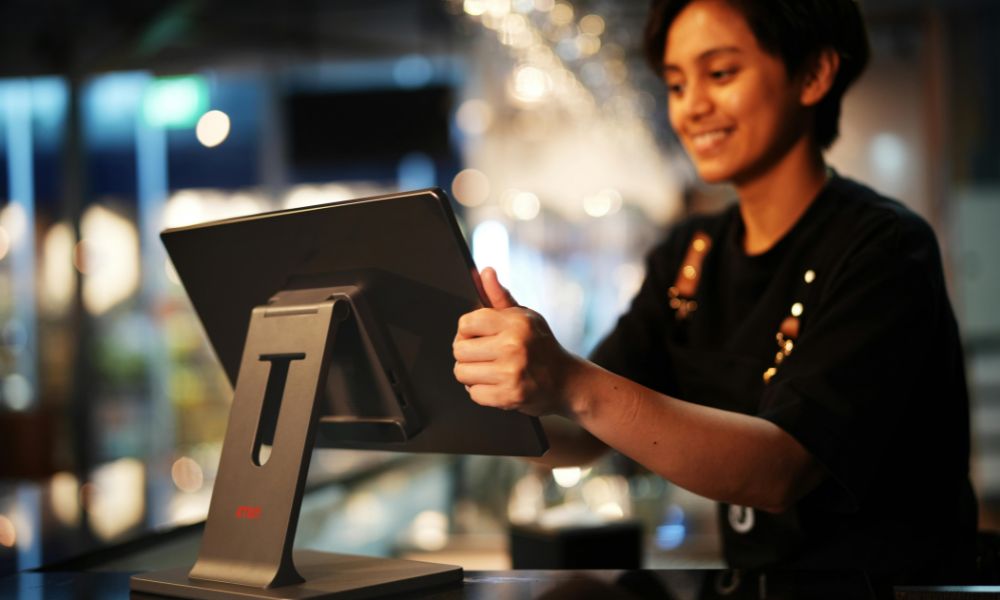
Choosing the right touchscreen POS monitor is one of the most important decisions for any retail, hospitality, or service-based business. The right hardware doesn’t just process transactions, it directly impacts speed, customer experience, and ultimately your revenue.
With so many options on the market, from different screen technologies to durability levels and connectivity features, it’s easy to feel overwhelmed. This guide breaks down everything you need to know to confidently choose the best touchscreen POS monitor for your business.
1. Understand Your Business Environment First
Before comparing specifications, start with your use case. Where and how will the POS monitor be used?
- Retail stores: Fast-paced, customer-facing environments
- Restaurants & cafés: Exposure to spills, grease, and heat
- Warehouses or industrial settings: Dust, gloves, and heavy use
- Outdoor kiosks: Sunlight, weather, and temperature changes
Your environment determines the level of durability, brightness, and touch technology you need. For example, outdoor systems often require higher brightness levels (up to 1000+ nits) to remain visible in sunlight, while indoor setups can work well with standard displays.
2. Choose the Right Touchscreen Technology
One of the biggest decisions is selecting between capacitive and resistive touchscreens.
a. Capacitive Touchscreens (Most Popular)
Capacitive screens respond to the electrical properties of your finger, offering:
- Fast, smooth responsiveness
- Multi-touch functionality (pinch, zoom, swipe)
- High clarity and modern user experience
They are ideal for retail and hospitality environments where speed and ease of use matter most.
b. Resistive Touchscreens (Practical & Durable)
Resistive screens work through pressure, meaning:
- They can be used with gloves, stylus, or any object
- They are more affordable
- They are better suited for harsh environments
However, they typically lack multi-touch and feel less responsive.
👉 Quick tip:
- Choose capacitive for customer-facing businesses
- Choose resistive for kitchens, warehouses, or industrial use
3. Prioritize Durability and Build Quality
POS monitors are used constantly, often hundreds of times per day. Durability isn’t optional.
Look for:
- Tempered glass screens for scratch resistance
- Spill-proof or IP-rated designs (IP54 or higher recommended)
- Strong casing to withstand drops and impacts
Capacitive screens tend to be more durable long-term because they use solid glass instead of flexible layers, which can wear out over time.
If your business operates in a high-risk environment (e.g., busy kitchen), investing in rugged hardware will save money on replacements.
4. Select the Right Screen Size and Design
Screen size affects both usability and counter space.
Common options:
- 15”–17”: Standard for most POS counters
- 21”–24”: Ideal for self-service kiosks
- 32”+: Used for interactive displays or large kiosks
Smaller screens are efficient for staff use, while larger screens enhance customer interaction and upselling opportunities.
Also consider:
- Slim vs bulky design
- Adjustable stands or wall mounting (VESA compatibility)
- Customer-facing secondary displays
5. Check Compatibility with Your POS System
A common mistake businesses make is buying hardware that doesn’t integrate smoothly with their software.
Make sure your touchscreen monitor:
- Works with your POS software (Windows, Android, Linux)
- Supports required drivers (e.g., OPOS)
- Integrates with peripherals like printers, scanners, and cash drawers
Most monitors connect via:
- USB (touch input)
- HDMI or DisplayPort (video)
- Serial ports for legacy systems
👉 Always confirm compatibility before purchasing to avoid costly issues later.
6. Evaluate Connectivity and Ports
Your POS monitor doesn’t work alone, it’s part of a larger system.
Look for:
- Multiple USB ports
- HDMI / VGA / DisplayPort
- Serial (RS-232) for older hardware
- Optional wireless features
Having flexible connectivity ensures your monitor can grow with your business and integrate with new devices over time.
7. Consider Display Quality and Brightness
Display quality impacts usability, especially in bright environments.
Key factors:
- Brightness: Minimum 300 cd/m² for indoor use, 500+ for bright areas
- Anti-glare coating: Reduces reflections under lighting
- High resolution: Improves readability and interface clarity
Capacitive screens generally offer better brightness and clarity because they have fewer layers blocking light.
8. Think About Long-Term Cost (Not Just Price)
It’s tempting to choose the cheapest option, but that can backfire.
Consider:
- Lifespan of the screen
- Maintenance requirements (e.g., calibration for resistive screens)
- Replacement costs
- Downtime risks
Capacitive monitors often have a higher upfront cost but deliver better ROI due to durability and lower maintenance.
9. Look for Ease of Use and Staff Training
A good POS monitor should make life easier for your staff.
Benefits of modern touchscreen systems:
- Faster transaction processing
- Intuitive gestures (swipe, tap, zoom)
- Reduced training time
In fast-paced environments like restaurants, even a few seconds saved per transaction can significantly impact revenue.
10. Don’t Overlook Support and Warranty
Hardware issues can disrupt your entire business.
Choose a supplier that offers:
- Reliable warranty coverage
- Technical support
- Replacement or repair services
As many business owners point out, support becomes critical when systems fail during peak hours, far more important than extra features.
Final Thoughts
Choosing the right touchscreen POS monitor isn’t just a technical decision, it’s a business investment.
To recap:
- Match the monitor to your environment
- Choose the right touch technology
- Prioritize durability and compatibility
- Focus on long-term value, not just price
The right POS monitor will improve efficiency, enhance customer experience, and ultimately help drive more sales.
Ready to Upgrade Your POS System?
If you’re looking for high-quality touchscreen POS monitors tailored to your business needs, now is the time to invest in pos hardware that supports your growth, not holds it back.

 March 27, 2026
 March 20, 2026
 March 15, 2026
 March 10, 2026
 February 27, 2026
 February 23, 2026