Top 7 Features to Look for in a Modern POS Stand
In today’s fast-paced retail and hospitality environments, efficiency at the checkout counter can make or break the customer experience. While businesses often focus on software and payment systems, the physical setup, especially the POS (Point of Sale) stand, is just as important. A modern POS stand does more than hold a screen; it enhances workflow, improves customer interaction, and protects your equipment.
If you’re planning to upgrade your checkout setup, here are the top 7 features to look for in a modern POS stand.
1. Durability and Build Quality
A POS stand is used constantly throughout the day, often in high-traffic environments. That means durability is non-negotiable. A flimsy stand not only looks unprofessional but can also pose safety risks.
High-quality materials like steel or reinforced aluminum ensure long-term reliability and stability. A durable stand protects your POS hardware from accidental bumps, spills, and wear-and-tear, which are common in retail and hospitality settings.
Investing in a sturdy stand may cost more upfront, but it saves money in the long run by reducing replacements and repairs.
2. Ergonomic Design (Tilt & Swivel)
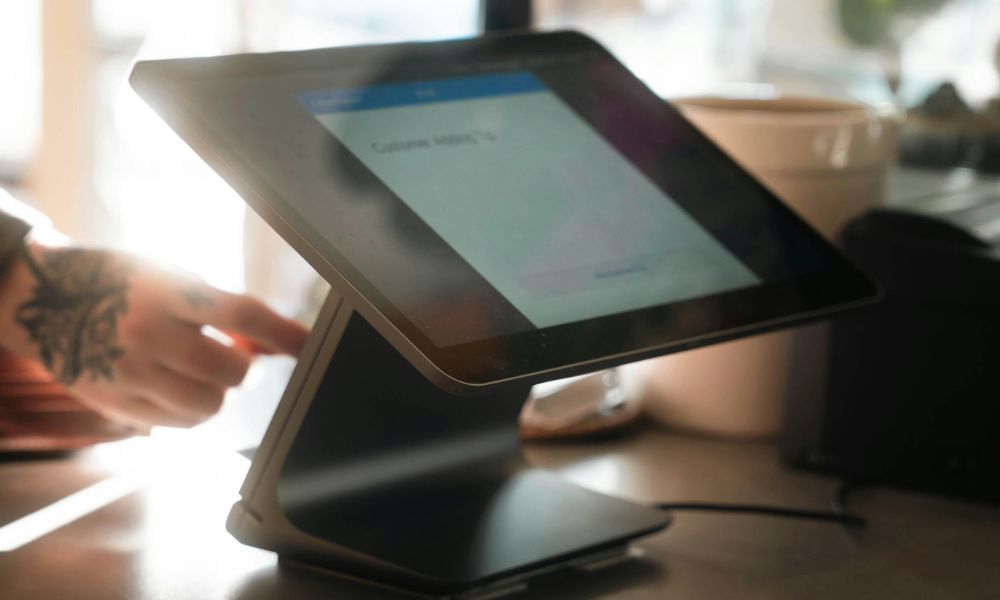
Ergonomics plays a key role in both employee comfort and customer experience. A modern POS stand should offer tilt and swivel functionality, allowing the screen to be adjusted easily.
This flexibility helps staff operate the system comfortably while also enabling customers to view the screen during transactions. It creates a smoother, more interactive checkout experience, especially useful for verifying orders or entering PINs.
An ergonomic design reduces strain on employees and speeds up transactions, which is crucial during busy hours.
3. Space-Saving and Compact Design
Counter space is valuable, especially in small retail stores, cafes, or pop-up shops. A modern POS stand should be compact and designed to maximise available space.
Slim profiles, foldable designs, or integrated mounting systems help keep the checkout area clean and organised. Some stands even include built-in cable management to eliminate clutter and improve aesthetics.
A well-organised counter not only improves efficiency but also creates a more professional impression for customers.
4. Compatibility and Mounting Options
Not all POS systems are the same, so compatibility is essential. A good POS stand should support universal mounting standards such as VESA (e.g., 75×75 or 100×100), allowing it to work with a wide range of devices.
This flexibility is especially important for businesses that may upgrade or change hardware in the future. A compatible stand ensures you won’t need to replace the entire setup when switching devices.
Choosing a versatile stand future-proofs your investment and makes upgrades hassle-free.
5. Security Features
Security is a critical aspect of any POS setup, as it handles sensitive customer and payment data. Modern POS stands often include built-in security features such as locking mechanisms and tamper-proof mounts.
These features prevent theft, unauthorised removal, or tampering with the device. This is particularly important in busy environments where multiple employees and customers interact with the system.
A secure POS stand not only protects your hardware but also builds trust with your customers.
6. Cable Management System
Messy cables can make your checkout area look unprofessional and even create safety hazards. A modern POS stand should include an integrated cable management system to keep wires organised and hidden.
This feature improves both aesthetics and functionality by preventing cables from tangling or getting damaged. It also makes cleaning and maintenance much easier.
A clean and clutter-free checkout space contributes to a better overall customer experience and reflects positively on your brand.
7. Flexibility and Adjustability
Every business has different needs, so flexibility is a must-have feature in a POS stand. Adjustable height, rotating screens, and modular designs allow the stand to adapt to various workflows and environments.
For example, a café may need a customer-facing display, while a retail store might prioritise speed and efficiency. Adjustable stands can cater to both scenarios, making them a versatile solution.
Additionally, flexible designs support evolving business needs, whether you’re expanding, redesigning your store, or adopting new technology.
Final Thoughts
A modern POS stand is much more than a simple accessory, it’s a critical component of your checkout experience. From improving efficiency and saving space to enhancing security and customer interaction, the right stand can significantly impact your daily operations.
When choosing a POS stand, focus on these seven key features:
- Durability
- Ergonomic design
- Space efficiency
- Compatibility
- Security
- Cable management
- Flexibility
By prioritising these elements, you’ll not only improve your checkout workflow but also create a more professional and seamless experience for your customers.

 March 27, 2026
 March 20, 2026
 March 15, 2026
 March 10, 2026
 February 27, 2026
 February 23, 2026