POS Hardware Checklist for Retail Stores
Setting up a retail store involves a lot more than just stocking your shelves and opening the doors to customers. One of the most critical components of running a modern retail operation is ensuring you have the right Point of Sale (POS) hardware in place. A good POS system helps you manage transactions efficiently, track inventory, streamline customer experiences, and gain valuable business insights.
In this guide, we’ll walk you through everything you need to set up a retail POS system that supports your business goals, from the essential hardware to advanced tools that enhance the shopping experience.
Why Do You Need POS Hardware?
A POS system is the backbone of your retail operations. Whether you’re running a brick-and-mortar store, a pop-up shop, or an omnichannel business, having the right POS hardware allows you to:
- Process Sales Quickly: Efficient checkout processes improve the customer experience.
- Track Inventory: POS systems automatically update inventory levels in real time.
- Accept Various Payment Methods: Support credit, debit, mobile wallets, and contactless payments.
- Generate Reports: Accurate sales reports and analytics to make informed business decisions.
A well-chosen POS hardware setup ensures that your store runs smoothly, customers are happy, and your business remains scalable. So, let’s dive into the key components you’ll need.
1. POS Terminal (Computer/Tablet)
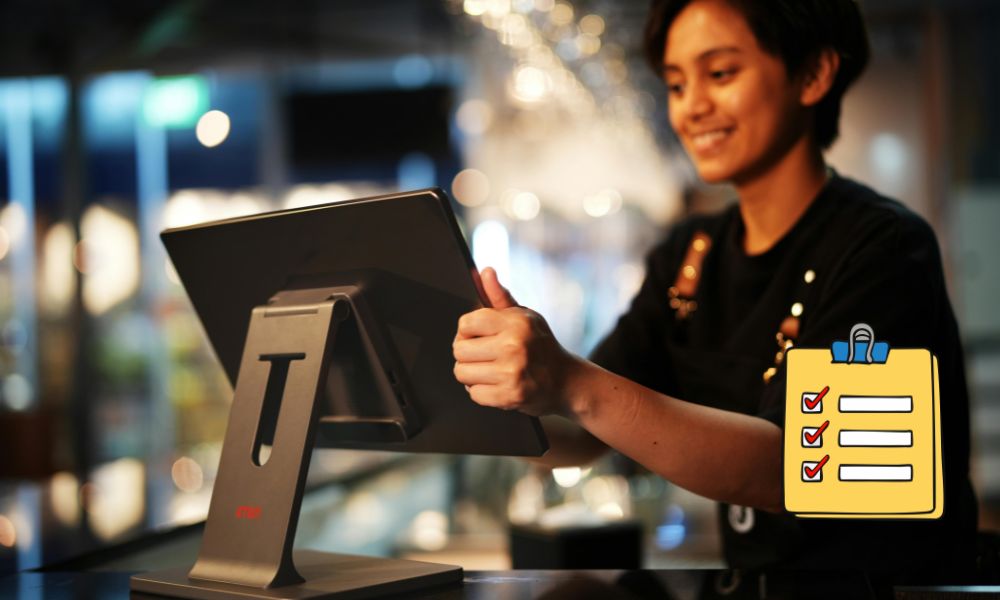
The POS terminal is the main hub where all the action happens. It’s where your sales associates interact with the system, process payments, and access the necessary tools for managing transactions and inventory. The type of terminal you choose depends on your store’s needs and how you want to interact with customers.
Options for POS Terminals:
- Desktop Computer: Traditional setup that offers stability and power, ideal for larger retail stores with high transaction volumes.
- Tablet-Based POS: Portable and modern, tablet-based POS systems are great for small to medium-sized stores or pop-up locations. They can also be used for line busting or sales on the go.
- All-in-One POS Systems: These integrated systems come with the hardware built into a sleek, space-saving unit, perfect for small spaces and retail environments.
Considerations:
- Operating System: Whether it’s Windows, Android, or iOS, the OS you choose will need to be compatible with your POS software.
- Screen Size and Display Quality: Choose a terminal with a display that’s easy to read and can accommodate your business’s needs.
2. Cash Drawer
While cash payments are becoming less common with the rise of digital transactions, a cash drawer is still a vital part of your POS hardware setup for businesses that accept cash. It’s where cash and receipts are securely stored during transactions.
Key Features of a Cash Drawer:
- Locking Mechanism: Security is critical, so choose a cash drawer with a robust locking mechanism.
- Multiple Bill and Coin Compartments: Ensure your drawer has adequate space for bills, coins, and even checks, depending on the volume of cash transactions you expect.
- Connectivity: Modern cash drawers often connect directly to your POS terminal and open automatically when a transaction is processed.
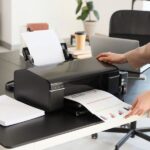
3. Receipt Printer
A receipt printer is a must-have for your retail setup. It prints out transaction receipts that your customers can take home, and it can also be used for printing out reports, inventory labels, and more.
Types of Receipt Printers:
- Thermal Printers: These are fast, quiet, and don’t require ink cartridges, making them a popular choice for retail environments.
- Dot Matrix Printers: Older but still useful in specific industries (like hospitality) where multi-part receipts or long-lasting ink is required.
- Impact Printers: These are typically more durable and suitable for environments where moisture, heat, or other harsh conditions are present.
Considerations:
- Connectivity: Ensure that your printer is compatible with your POS terminal, whether that’s via USB, Bluetooth, or Wi-Fi.
- Speed: Look for a printer with a fast print speed to avoid bottlenecks during busy times.
- Paper Size: Choose a printer that fits the receipt paper size your store uses.
4. Barcode Scanner
A barcode scanner is crucial for fast and accurate checkout processing. Scanning barcodes eliminates the need for manual price entry, reducing human error and speeding up transactions.
Types of Barcode Scanners:
- Handheld Scanners: These are the most common and can be either wired or wireless. Wireless models offer greater flexibility for store layout.
- Fixed-Mount Scanners: Ideal for busy retail environments with high transaction volumes. These scanners automatically scan products when placed in front of them.
- Omnidirectional Scanners: These scanners read barcodes from any angle, making them especially useful for high-traffic checkouts.
Considerations:
- Compatibility: Ensure your scanner works with your POS software and hardware.
- Barcode Types: Make sure the scanner can read different barcode formats like UPC, EAN, or QR codes, depending on your product labeling.
5. Payment Terminal (Card Reader)
To stay competitive in the modern retail space, you’ll need a payment terminal to accept a variety of payment methods, including credit cards, debit cards, mobile wallets (like Apple Pay and Google Pay), and contactless payments.
Types of Payment Terminals:
- Countertop Payment Terminals: These devices are designed to stay in one place and connect to your POS terminal via a physical cable.
- Mobile Payment Terminals: Portable devices that allow for mobile payments, ideal for businesses on the go or pop-up stores.
- Integrated Card Readers: Many all-in-one POS systems come with built-in card readers, eliminating the need for a separate device.
Considerations:
- EMV Compatibility: Look for devices that accept EMV chip cards for enhanced security.
- Contactless Payment: Ensure the terminal supports contactless payments, which are becoming more common.
6. Customer Display Screen
A customer display screen (or customer-facing display) shows your customers their purchase details, such as the items they’ve purchased, the total price, and the amount of tax. This enhances the transparency of your transactions and improves customer satisfaction.
Types of Customer Display Screens:
- Basic LED Screens: Simple, low-cost displays that show basic information.
- Touchscreen Displays: These more advanced displays allow customers to interact with the system, such as signing for their transaction or browsing promotions.
Considerations:
- Size: Make sure the screen is large enough for customers to easily read.
- Positioning: The screen should be placed in a way that allows customers to see it comfortably without crowding the checkout area.
7. POS Accessories
There are several accessories that, while not strictly necessary, can enhance your retail POS system and make your operations smoother:
- Signature Capture Pads: If your business needs to capture customer signatures (for credit card payments, returns, or agreements), a signature pad is essential.
- Scale: For businesses that sell products by weight (e.g., fresh produce or bulk goods), a scale connected to the POS is necessary.
- Kiosk: For larger retail stores, kiosks allow customers to check themselves out, reducing wait times and improving efficiency.
8. Network Equipment
To ensure all the above hardware works seamlessly together, you’ll need reliable network equipment. This includes:
- Wi-Fi Router: A strong, secure Wi-Fi network is essential for cloud-based POS systems.
- Ethernet Cables: Wired connections are often more stable than Wi-Fi for POS terminals and payment terminals.
- Network Switches: These devices help distribute your network connection to various devices, ensuring smooth communication across your system.
Conclusion
Setting up a retail store with the right POS hardware is essential to ensure smooth operations, reduce errors, and enhance the customer experience. By carefully choosing the right POS terminal, payment terminals, barcode scanners, cash drawers, and other necessary accessories, your retail business will be better equipped to handle day-to-day sales, track inventory, and keep customers satisfied.
As technology continues to evolve, so do POS systems. When selecting hardware, it’s important to consider both your current needs and future growth to ensure your POS system can adapt to changing retail trends.
With this comprehensive checklist in hand, you’ll be well on your way to setting up a retail POS system that supports your business’s success for years to come.

 March 27, 2026
 March 20, 2026
 March 15, 2026
 March 10, 2026
 February 27, 2026
 February 23, 2026